When a session ends, mark it complete. It's one tap, and it powers a lot of MassageHub behind the scenes — even when you've taken payment outside the app.
What marking complete unlocks
- Your income dashboard — only completed sessions show up in your revenue. If you don't mark complete, the work you did doesn't appear in your monthly figures.
- Review requests — completing a session triggers a friendly review email to the client, with both an in-app review form and (if you've set it up) your Google review link. No reviews go out for sessions still showing as confirmed. When a client leaves an in-app review, you're notified straight away by push and email — it waits as Pending on your Reviews page until you approve it, and only then does it show on your public profile.
- Loyalty rewards — your loyalty programme counts completed sessions only. A regular client who's due their 10-session reward won't get it until you mark the qualifying session complete.
- Referral rewards — when a referred client's first session is marked complete, the referrer is automatically credited under your referral programme.
- Aftercare emails — you can only send your aftercare topics for completed sessions.
- Package and membership credits — pre-paid sessions decrement at completion, not at booking. If you don't mark complete, the client's remaining balance looks artificially high.
"But I take payment in cash / bank transfer"
You don't need to use Stripe for any of the above to work. Marking complete is the signal that the session happened — independent of how the client paid you. The reviews, loyalty rewards, income reporting, and credit decrements all fire from the same one tap, regardless of payment method.
How to mark a session complete
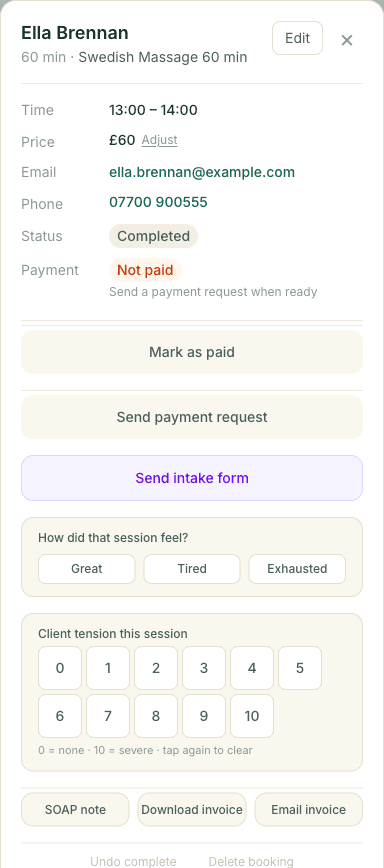
On the Appointments calendar, click any past confirmed session (it'll be highlighted amber with a "To complete" tag). The detail panel opens with three options: Mark complete, No show, or Cancel appointment. Tap the one that matches what happened.
The Live Session card
When an appointment is happening — or about to — a Live Session card appears at the top of your dashboard home. Before it starts it shows the client, the service and a Start appointment button. Tap Start and it becomes a live timer: minutes counting up, the scheduled finish time, and — if you run past that — an amber running over state showing how many minutes you're over.
When you're done, tap Complete appointment on the card. That does exactly the same thing as marking complete from the calendar — the review request, loyalty point, income figure and any package or membership credit all fire from it. Tapped Start by mistake? Undo start puts it back. It's the quickest way to run an appointment from start to finish without leaving your dashboard.
If there's still a card payment to take after the session, the card turns amber once you complete it — “payment still needs sorting” — and links straight to that appointment in your calendar, so a session finished in a hurry never leaves money quietly forgotten.
Tidying up a backlog
If you've let past sessions pile up unmarked, the Your appointments card on your dashboard home shows a count of past sessions awaiting completion. Tap Complete all to mark them all complete in one go. To avoid spamming clients, we send at most one review email per client — covering their most recent session — rather than one email per old appointment.
Building the daily habit
The easiest pattern is to mark sessions complete as the day ends, the same way you might tidy your treatment room before going home. Each tap takes a second; each tap fires a fresh review request, drops a loyalty point in for the client, and updates your income figures. Keeping the habit means clients hear from you while the visit is fresh in their mind, and your dashboard always reflects the truth of your week.