Upload your qualifications, insurance certificate, and professional memberships to earn verified badges on your public profile and booking page — giving prospective clients confidence before they book.
What badges are available
- ✓ Qualified — a recognised qualification in massage or a related therapy (e.g. ITEC, VTCT, HND, or degree-level)
- ✓ Insured — valid public liability and professional indemnity insurance
- ✓ Member — active membership of a recognised professional body (e.g. FHT, CNHC, MTI, APNT)
- ✓ Trusted — you have been approved for Trusted Therapists. Unlike the three above this one is not automatic: it needs an approved profile and at least one verified qualification, and our team reviews your profile and treatments before you are listed. See Trusted Therapists
How to upload your credentials
Go to Settings → Credentials. There are three separate upload areas — Qualifications, Memberships and Insurance. Click Add under the one you want:
- Upload a photo or scan of the certificate or document (JPEG, PNG, WebP, or PDF, up to 5MB)
- Make sure the whole document is in shot and readable
- Wait a few seconds while it is checked — there is nothing else to submit
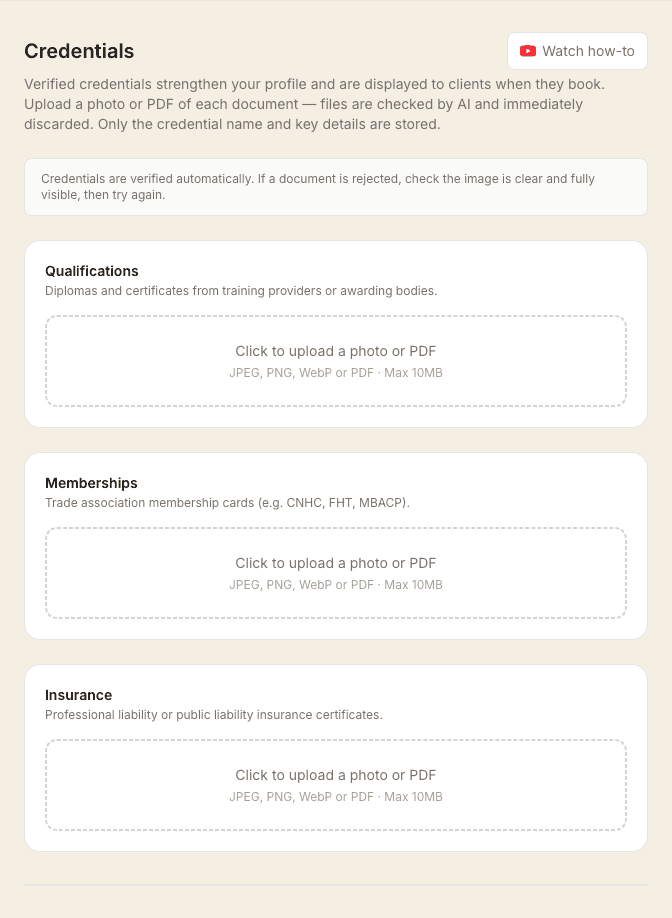
AI reads the document and extracts the key facts — what the credential is, who issued it, and when it expires.
How long does verification take?
Seconds. Verification is automatic and happens as you upload — the credential appears in the list straight away and the badge is live on your profile immediately. If a document is rejected, check the image is clear, fully visible and not cropped, then try again.
What happens to the document?
The document itself is not retained after verification. Only the extracted facts (credential type, issuing body, expiry date) are stored — protecting your privacy and your clients' data.
Where badges appear
Verified badges appear below your name on your public profile page and on your booking page — visible to any prospective client before they book. Expired credentials are automatically hidden until you upload a renewed document.
Clients can tap any badge to see what it means. A short explanation opens covering each badge you hold, how it was earned, and the fact that the document behind it was checked rather than self-declared. There is nothing to set up — it is on wherever your badges are shown.
Keeping credentials up to date
When a credential is about to expire, you will receive a reminder email. Upload your renewed document before the expiry date to keep your badge active. The badge is hidden automatically if a credential lapses.