If you already have a website, you can add a booking button or embed the full booking flow so clients never have to leave your site.
Finding the embed snippets
Go to Settings → Integrations and scroll to Add to your website. You'll find two ready-to-paste HTML snippets.
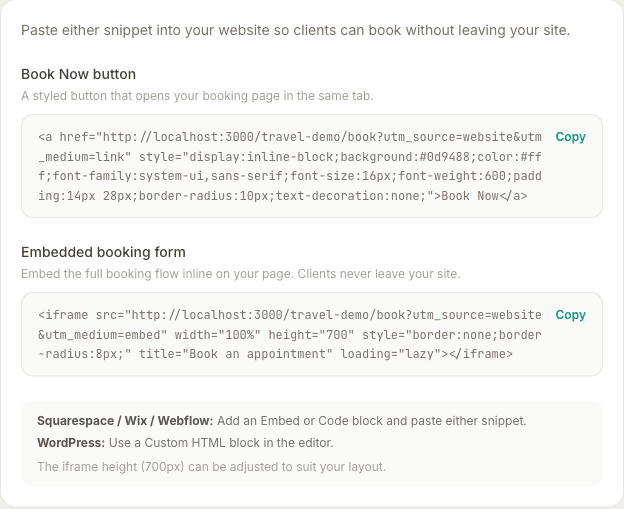
Option 1 — Book Now button
A styled button that opens your MassageHub booking page when clicked. Paste the snippet wherever you want the button to appear on your page.
The button uses your brand's teal colour by default. If you want a different colour, you can edit the background value in the HTML snippet.
Option 2 — Embedded booking form
An iframe that loads your full booking flow inline on your page — clients select a service, choose a time, and complete payment without leaving your website.
The default height is 700px, which fits the complete booking flow on most screens. Adjust the height value in the snippet if needed.
How to add it to your site
- Squarespace: Add a Code block and paste the snippet.
- Wix: Add an Embed element (HTML iframe) and paste the snippet.
- Webflow: Add an Embed component and paste the snippet.
- WordPress: Use a Custom HTML block in the Gutenberg editor.
- Any other platform: Look for an “HTML” or “Embed code” option in your page builder.