Some clients need a formal invoice to claim reimbursement from their health insurer or employer. MassageHub can generate a clean, printable invoice for any appointment in seconds.
Downloading an invoice
Open any appointment in your calendar dashboard. Scroll to the bottom of the appointment panel and tap Download invoice →. The invoice opens in a new tab.
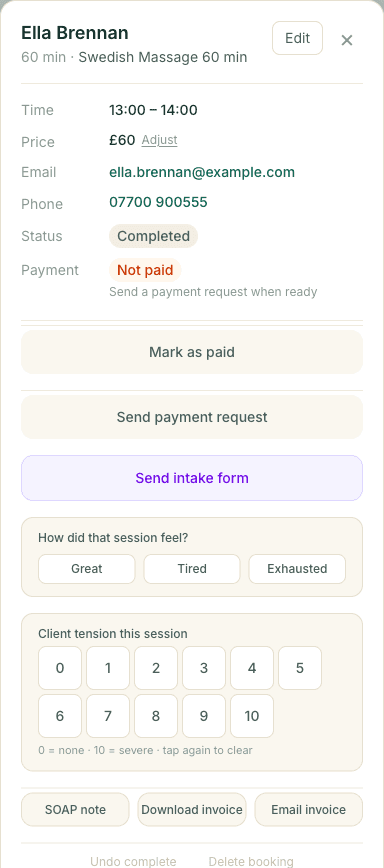
The invoice includes:
- Your business name and contact details
- A unique invoice reference number (e.g. INV-20260329-A1B2C3D4)
- The client's name and email
- The treatment name, date, time, and duration
- The price and any adjustments applied
- Payment method (card, cash, membership, package)
Saving as PDF
Once the invoice page is open, tap Print / Save as PDF. In the print dialog, set the Destination to Save as PDF. You can then share the PDF with your client by email or WhatsApp.
On iPhone or iPad, tap the Share icon in Safari and choose Print, then pinch outward on the preview to save it as a PDF.
Emailing the invoice automatically
When marking an appointment as complete, tick Email invoice to client before tapping Mark complete. MassageHub will send the invoice details directly to the client's email address straight away.
The checkbox only appears if the client has an email address on their record.
What health insurers typically need
Most UK health cash plans and private insurers accept a therapist-generated invoice that includes: your name and contact details, the treatment type and date, and the amount paid. The MassageHub invoice covers all of these.
If an insurer asks for a specific format or additional details (e.g. a CNHC registration number), you can add those to your profile under Settings → Profile — they appear in the contact details section of the invoice.