If you keep your clients in a spreadsheet (Excel, Google Sheets, Numbers), you can import directly — no specific format required.
Supported formats
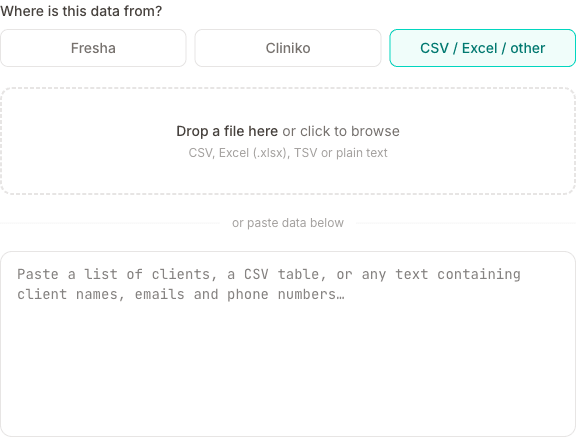
CSV, Excel (.xlsx, .xls), or any tab-separated file. Google Sheets: File → Download → CSV.
What columns to include
The AI can extract clients from almost any format. Columns that help:
- Name (first and last, or full name in one column)
- Phone number
- Email address
- Date of birth
- Address
- Notes
- Marketing consent — a column such as "Accepts Marketing", "Marketing" or "Newsletter", with Yes/No or TRUE/FALSE per client
- Blocked clients — a column marking anyone you don't want to book, with the reason if you have one
You don't need headers or a specific column order — the AI figures it out.
Marketing consent is only picked up when your file actually says so. If there is no marketing column, everyone is imported as not opted in — that's deliberate, since we won't assume consent on your clients' behalf. If they had already agreed in your old system, select them on the client list afterwards and use Marketing on to switch them back on in one go.
Columns that won't be used
Only client details are imported. If your spreadsheet also has a row per appointment — dates, services, prices, amounts paid — those columns are ignored, and there's currently no way to bulk-import appointment history. You don't need to strip them out first; the import simply won't pick them up.
If your sheet has one row per appointment rather than one row per client, expect the same person to appear several times. They'll be de-duplicated by phone number on import, so you'll still end up with one record each.
Need a few past sessions in the diary? Importing clients from another system covers how to add them by hand without emailing your clients about them.
How to import
- Go to Clients and click Import clients
- Upload your file
- Wait for the AI to extract the clients (a progress bar shows how it's going)
- Review the extracted list — fix any errors before importing
- Click Import to save
Deduplication
Clients are matched by phone number. If a client already exists with the same phone number, they'll be skipped — you won't get duplicates even if you run the import multiple times.
Coming from a marketplace platform? Why we're not a marketplace explains how MassageHub helps you build a client base you own.