How a mobile massage therapist runs their week on MassageHub
This is an example, not a customer story. Jamie Cole is an account we set up to show how MassageHub works. The clients in the screenshots are made up too. Everything shown is a real feature you can use today.
Jamie is a mobile therapist in South London. They travel to clients’ homes, work on their own, and don’t want to spend evenings answering “are you free Thursday?” messages. Here’s how their setup works, one step at a time.
- 1
Jamie draws the area they’ll travel to
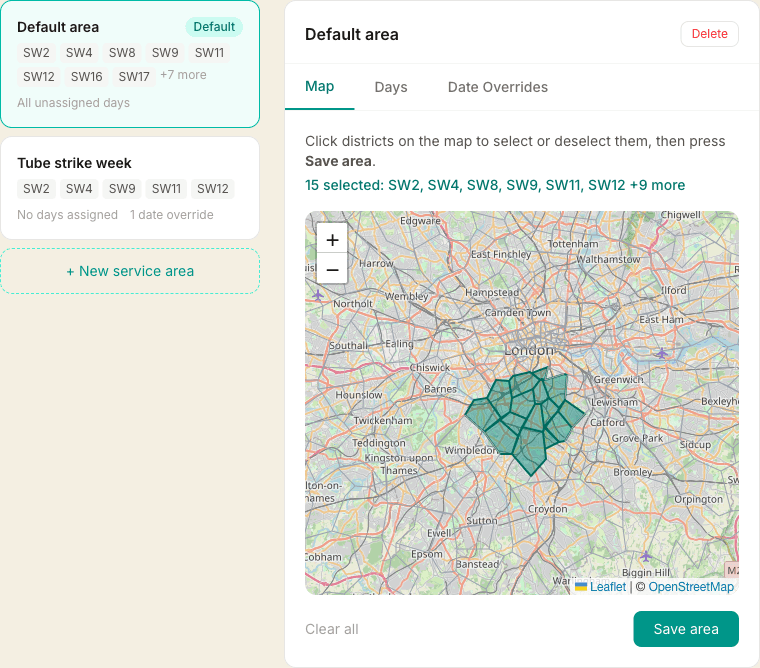
Jamie is based in Clapham and doesn’t want to cross the river for a one-hour massage. So they click the postcode districts they cover on a map: SW2, SW4, SW11 and a dozen more around South London. There’s a second, smaller area saved for a tube strike week, switched on just for those dates.
Included on Solo Pro and Solo Plus · How travel areas work
- 2
A client books at 9pm, and only sees times that work
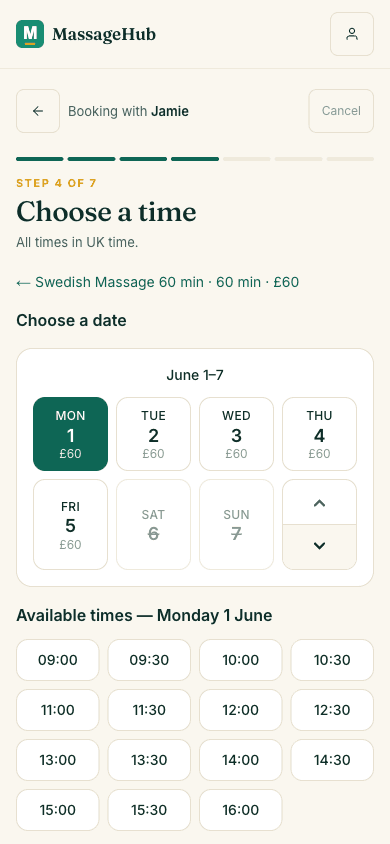
A new client finds Jamie’s booking page on a Sunday evening. They pick a treatment, then enter their address before they see any times. If they’re inside the area, they only get slots Jamie can actually reach, with travel time between appointments already allowed for. If they’re just outside, they can send a request instead and Jamie decides. No back and forth over text.
Included on Solo Pro and Solo Plus · How travel time is worked out
- 3
A deposit secures the slot
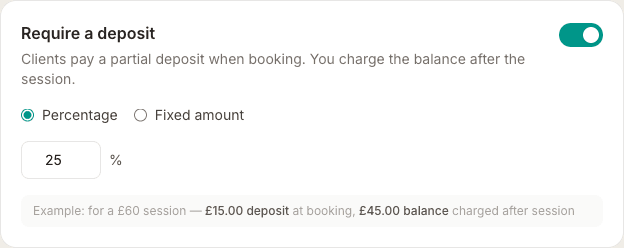
Jamie takes 25% up front. On a £60 massage the client pays £15 when they book, and their card is saved so the £45 balance is charged after the session. A client who has paid something is a client who turns up, and Jamie isn’t left chasing money on a doorstep.
Included on Solo Pro and Solo Plus · Setting up deposits
- 4
Reminders go out on their own
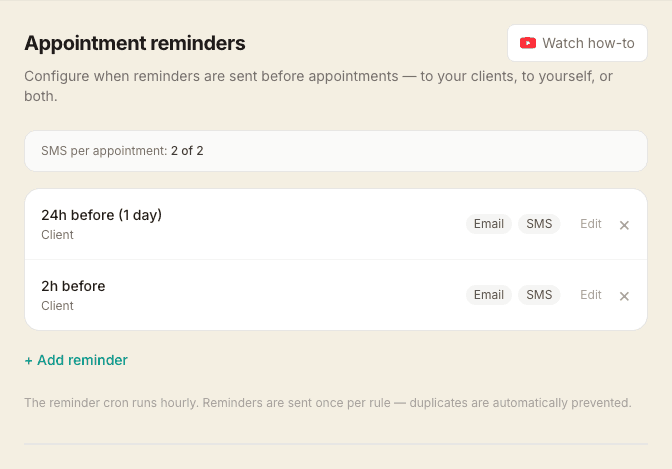
The client gets a reminder the day before and another two hours before. Jamie set those rules once and hasn’t thought about them since. Email reminders come with Solo Pro; text message reminders are on Solo Plus.
Included on Solo Pro and Solo Plus · Setting reminder rules
- 5
After the session, the notes are done in the car
Before driving to the next client, Jamie writes up the session as a SOAP note on their phone, or dictates it. Next time that client books, the notes from last time are right there.
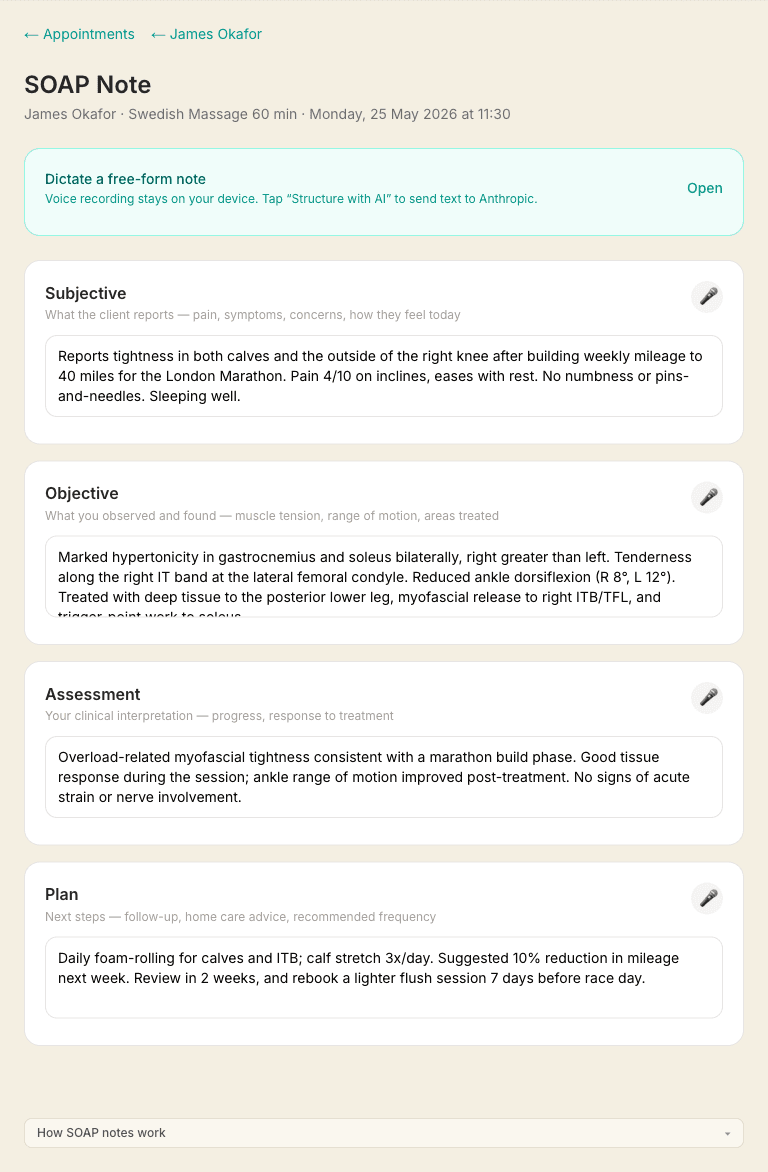
Included on the free plan · Writing SOAP notes
Set up your own in an evening
No agency, no custom build. Start free and add travel areas and deposits when you need them.
Start free — no card requiredSee also: MassageHub for mobile therapists · every feature · help articles